YOUR AI COMPANION FOR PROPERTY SOFTWARE

Learn how it works. Put it into practice.

Learn how to carry out the work in ARGUS Enterprise®, EstateMaster®, Excel and more. Get step-by-step guidance built around your software, with the reasoning behind the workflow.

Use it alongside your software · No card required

The Propfessor robot helps a property professional working at her computer.
UNDERSTAND IT IN YOUR OWN WORDS

Your software. Explained in your language.

The software may be in English. Your learning doesn’t have to be.

Work through the steps in Arabic, French, Japanese, Chinese, German and more. Keep the software’s on-screen labels recognisable, with the explanation in the language that makes sense to you.

Try the Companion free
15 answer languages

English · العربية · Français · Deutsch · Español · Português · Italiano · Nederlands · Polski · Türkçe · Русский · 简体中文 · 日本語 · 한국어 · हिन्दी

Choose your answer language in Language & voice. This changes the guidance, not the app’s interface.

ASK IN YOUR LANGUAGE. LEARN IN YOUR LANGUAGE.

ARGUS® EstateMaster DF

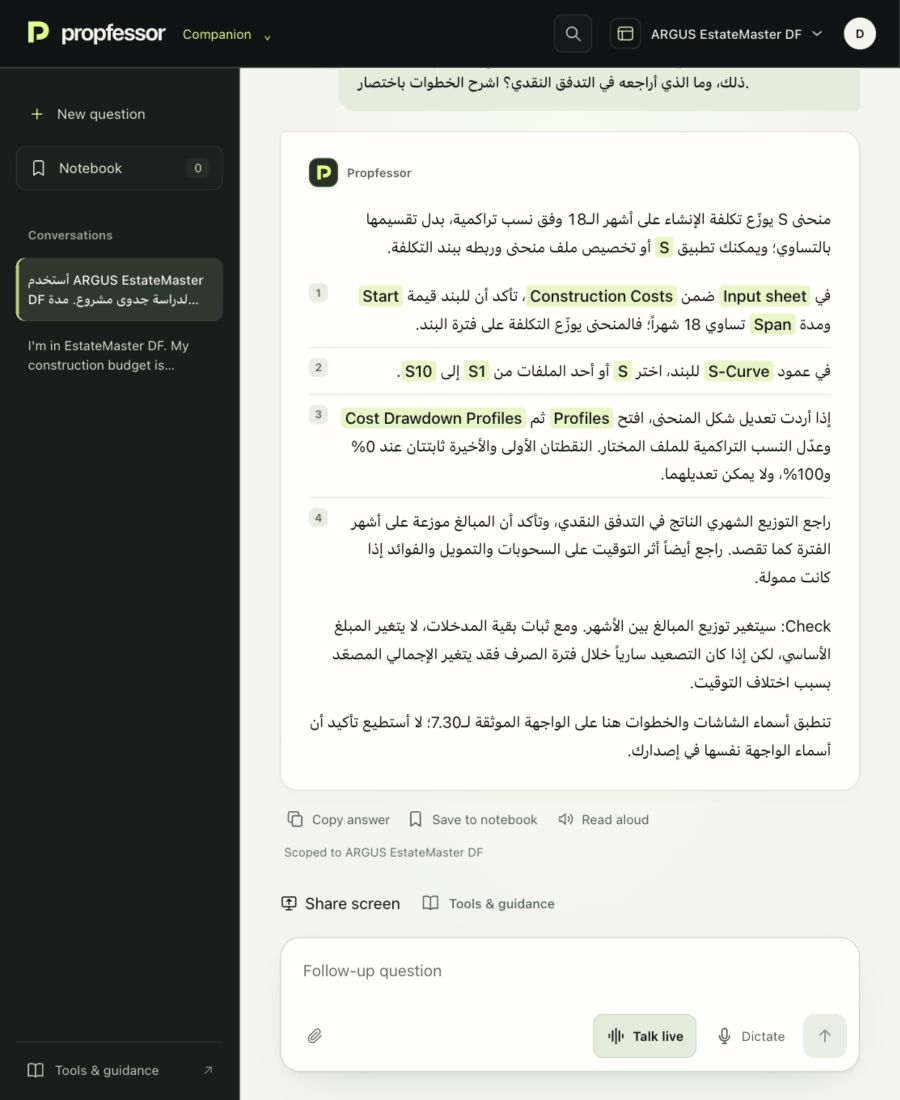
أستخدم ARGUS EstateMaster DF لدراسة جدوى مشروع. مدة الإنشاء 18 شهراً، وأريد توزيع تكلفة الإنشاء بمنحنى S بدلاً من توزيعها بالتساوي. كيف أضبط ذلك، وما الذي أراجعه في التدفق النقدي؟ اشرح الخطوات باختصار.

EstateMaster DF 7.30

propfessor.العربية

في Input sheet ضمن Construction Costs، تأكد أن للبند قيمة Start ومدة Span تساوي 18 شهراً؛ فالمنحنى يوزّع التكلفة على فترة البند.

في عمود S-Curve للبند، اختر S أو أحد الملفات من S1 إلى S10.

Read the complete reply

منحنى S يوزّع تكلفة الإنشاء على أشهر الـ18 وفق نسب تراكمية، بدل تقسيمها بالتساوي؛ ويمكنك تطبيق S أو تخصيص ملف منحنى وربطه ببند التكلفة.

في Input sheet ضمن Construction Costs، تأكد أن للبند قيمة Start ومدة Span تساوي 18 شهراً؛ فالمنحنى يوزّع التكلفة على فترة البند. في عمود S-Curve للبند، اختر S أو أحد الملفات من S1 إلى S10. إذا أردت تعديل شكل المنحنى، افتح Profiles ثم Cost Drawdown Profiles وعدّل النسب التراكمية للملف المختار. النقطتان الأولى والأخيرة ثابتتان عند 0% و100%، ولا يمكن تعديلهما. راجع التوزيع الشهري الناتج في التدفق النقدي، وتأكد أن المبالغ موزعة على أشهر الفترة كما تقصد. راجع أيضاً أثر التوقيت على السحوبات والتمويل والفوائد إذا كانت ممولة.

Check: سيتغير توزيع المبالغ بين الأشهر. ومع ثبات بقية المدخلات، لا يتغير المبلغ الأساسي، لكن إذا كان التصعيد سارياً خلال فترة الصرف فقد يتغير الإجمالي المصعّد بسبب اختلاف التوقيت.

تنطبق أسماء الشاشات والخطوات هنا على الواجهة الموثقة لـ7.30؛ لا أستطيع تأكيد أن أسماء الواجهة نفسها في إصدارك.
View the Companion capture

ARGUS Enterprise

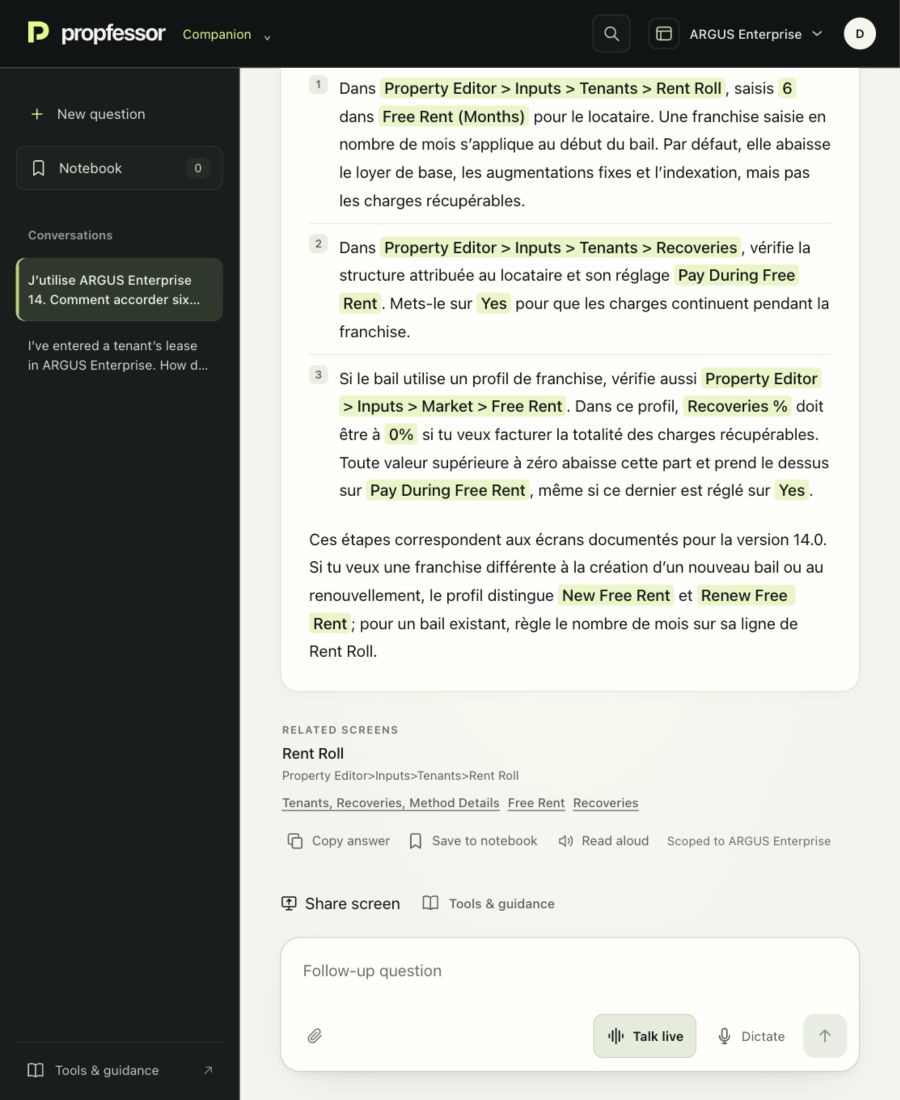
J’utilise ARGUS Enterprise 14. Comment accorder six mois de franchise de loyer à un locataire tout en continuant à lui facturer les charges récupérables ? Explique-moi les réglages à vérifier.

ARGUS Enterprise 14.0

propfessor.Français

Dans ARGUS Enterprise 14.0, saisis six mois de franchise sur le bail et vérifie que les charges restent dues : Pay During Free Rent doit être réglé sur Yes, et le profil de franchise ne doit pas abattre les charges récupérables.

Read the complete reply

Dans ARGUS Enterprise 14.0, saisis six mois de franchise sur le bail et vérifie que les charges restent dues : Pay During Free Rent doit être réglé sur Yes, et le profil de franchise ne doit pas abattre les charges récupérables.

Dans Property Editor > Inputs > Tenants > Rent Roll, saisis 6 dans Free Rent (Months) pour le locataire. Une franchise saisie en nombre de mois s’applique au début du bail. Par défaut, elle abaisse le loyer de base, les augmentations fixes et l’indexation, mais pas les charges récupérables. Dans Property Editor > Inputs > Tenants > Recoveries, vérifie la structure attribuée au locataire et son réglage Pay During Free Rent. Mets-le sur Yes pour que les charges continuent pendant la franchise. Si le bail utilise un profil de franchise, vérifie aussi Property Editor > Inputs > Market > Free Rent. Dans ce profil, Recoveries % doit être à 0% si tu veux facturer la totalité des charges récupérables. Toute valeur supérieure à zéro abaisse cette part et prend le dessus sur Pay During Free Rent, même si ce dernier est réglé sur Yes.

Ces étapes correspondent aux écrans documentés pour la version 14.0. Si tu veux une franchise différente à la création d’un nouveau bail ou au renouvellement, le profil distingue New Free Rent et Renew Free Rent; pour un bail existant, règle le nombre de mois sur sa ligne de Rent Roll.

View the Companion capture

ARGUS Enterprise

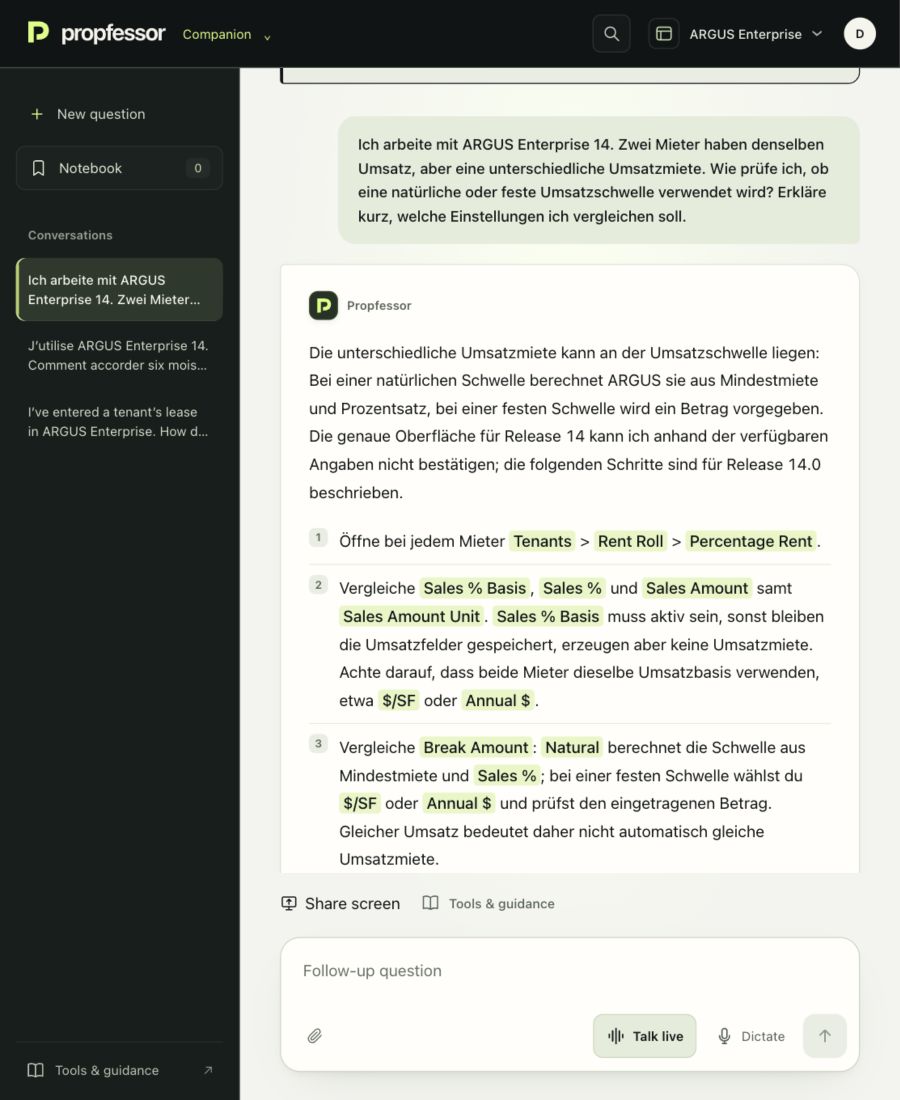
Ich arbeite mit ARGUS Enterprise 14. Zwei Mieter haben denselben Umsatz, aber eine unterschiedliche Umsatzmiete. Wie prüfe ich, ob eine natürliche oder feste Umsatzschwelle verwendet wird? Erkläre kurz, welche Einstellungen ich vergleichen soll.

ARGUS Enterprise 14.0

propfessor.Deutsch

Vergleiche Break Amount: Natural berechnet die Schwelle aus Mindestmiete und Sales %; bei einer festen Schwelle wählst du $/SF oder Annual $ und prüfst den eingetragenen Betrag. Gleicher Umsatz bedeutet daher nicht automatisch gleiche Umsatzmiete.

Read the complete reply

Die unterschiedliche Umsatzmiete kann an der Umsatzschwelle liegen: Bei einer natürlichen Schwelle berechnet ARGUS sie aus Mindestmiete und Prozentsatz, bei einer festen Schwelle wird ein Betrag vorgegeben. Die genaue Oberfläche für Release 14 kann ich anhand der verfügbaren Angaben nicht bestätigen; die folgenden Schritte sind für Release 14.0 beschrieben.

Öffne bei jedem Mieter Tenants > Rent Roll > Percentage Rent. Vergleiche Sales % Basis, Sales % und Sales Amount samt Sales Amount Unit. Sales % Basis muss aktiv sein, sonst bleiben die Umsatzfelder gespeichert, erzeugen aber keine Umsatzmiete. Achte darauf, dass beide Mieter dieselbe Umsatzbasis verwenden, etwa $/SF oder Annual $. Vergleiche Break Amount: Natural berechnet die Schwelle aus Mindestmiete und Sales %; bei einer festen Schwelle wählst du $/SF oder Annual $ und prüfst den eingetragenen Betrag. Gleicher Umsatz bedeutet daher nicht automatisch gleiche Umsatzmiete. Vergleiche auch Inflation, weil sie die Umsatzannahme fortschreibt. Eine geänderte Mindestmiete kann bei Natural die Schwelle verschieben, auch wenn du die Umsatzmieteinstellungen nicht geändert hast.

Prüfe anschließend die Mieterwerte im Bericht Tenant Retail Revenue & Sales und die Umsatzmietzeile im Cash Flow.

View the Companion capture

Excerpts from real Companion conversations. Both the question and the answer are in the learner’s language.

A COMPANION FOR THE WAY YOU WORK

Keep working. Keep the conversation going.

Ask, listen, show the problem and keep what you learn. Use Propfessor alongside the software you already have.

01 / TALK IT THROUGH

Your software on the computer. Your Companion beside you.

Open Propfessor on your phone and use Talk live. Describe what you’re doing, ask a follow-up and hear the response while you work on your computer.

Or talk on the same computer. Speak in your preferred language. Live calls last up to four minutes; the conversation keeps the questions and answers.

02 / SHOW WHAT YOU SEE

Less explaining. More context.

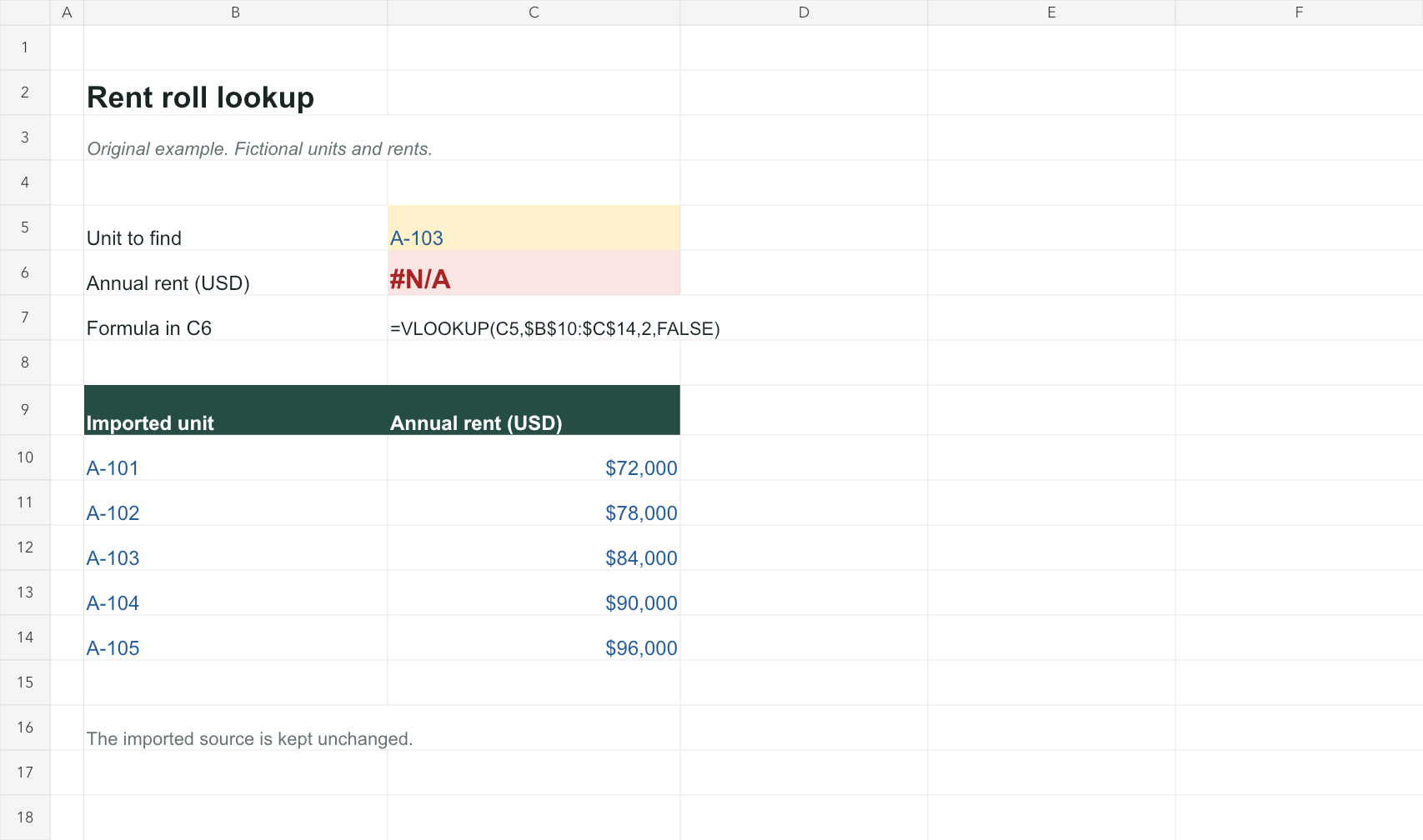
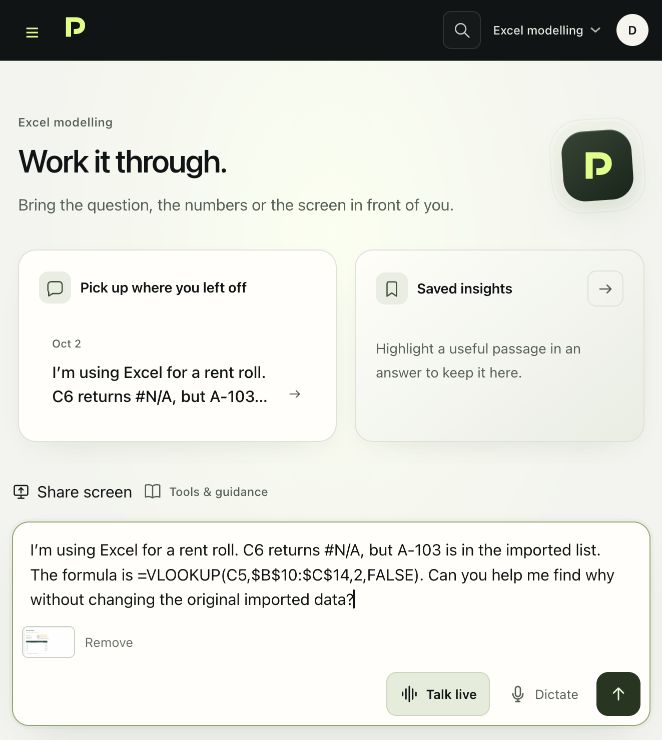
Attach a screenshot of the cell, settings or report you want to understand. On your computer, use Share screen to choose a screen, window or tab and include its current view with your question.

You choose what to share. A phone beside your computer does not automatically see its screen. Remove private information before sharing.

03 / KEEP WHAT CLICKS

Listen now. Keep it for next time.

Use Read aloud to hear an answer. Save a useful answer or selected passage to your Notebook, add your own notes and return to it as you work.

Conversations stay with your account. Notebook entries are kept for this account and module in the browser where you saved them.

Watch a complete Companion conversation
WATCH THE COMPANION IN USE

A real task. A clear next step.

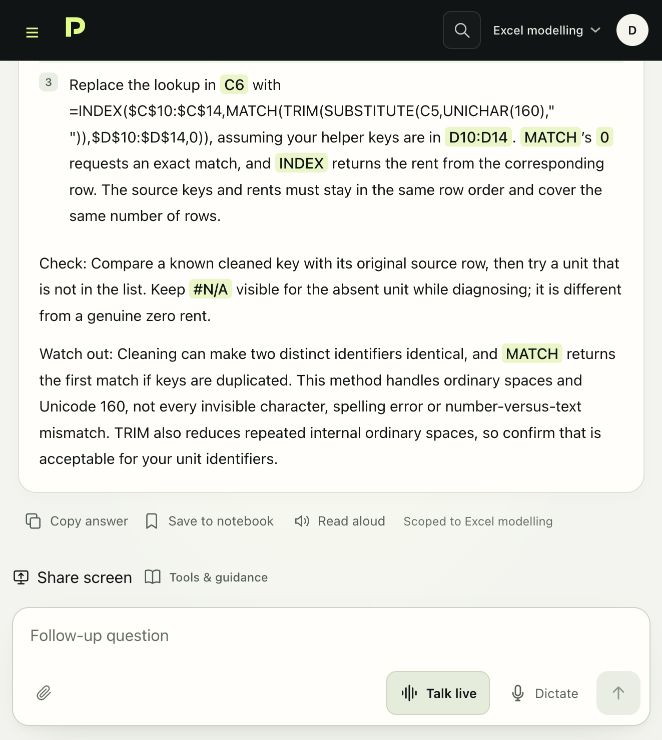
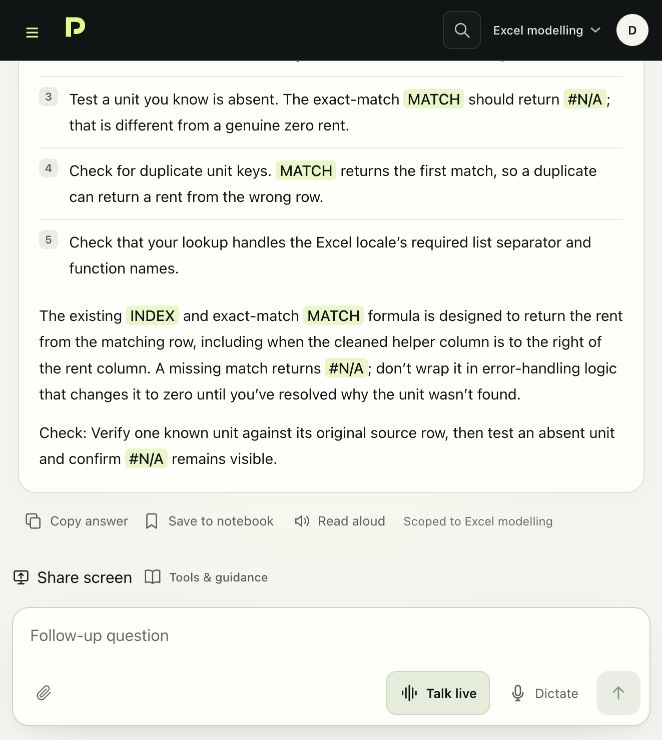
Add six months of free rent in ARGUS Enterprise, then ask how to keep recoveries payable. See which settings to change and what to check.

54 seconds · Loops silently · Sound optionalEdited walkthrough using the actual Companion
Read the walkthrough

Adding six months of free rent

I’ve entered a tenant’s lease in ARGUS Enterprise. How do I add six months of free rent?

Open the tenant’s Rent Roll, then Rental Income, Base Rent and Free Rent. Set Select Type to Tenant Specific. Add a row, set the Date or Month to the start of the lease, and enter six in number of months. Then save and check the tenant’s cash flow.

Keeping recoveries payable

I’m using AE 14.0. Does that stop recoveries too? I only want the base rent to be free.

Check Pay During Free Rent in the recovery structure. Set it to Yes to keep recoveries payable. If you use a Free Rent profile, check Recoveries percent too. A value above zero overrides that setting and abates that share of recoveries. For base rent only, keep that percentage at zero and Pay During Free Rent set to Yes.

The screen shows a real Companion conversation. The narration is an edited, checked walkthrough of the task.

Bring a question from your own work.

Try 3 questions free
EXPLORE A WORKED CONVERSATION

See it help with your work.

Choose a task in your software. Follow the steps, then open the next question to see how the guidance continues.

Choose your software. See the question, the guidance and what you can do next.

All 13 worked examples
YOU ASK / ESTATEMASTER DF

My construction budget is spread evenly over 18 months. How do I make the drawdown peak in the middle instead?

propfessor.

Shape the spend around your programme.

Use the construction cost line’s S-Curve field. E spreads the cost evenly. S and S1 to S10 select editable drawdown profiles, so you can match the payment pattern without rebuilding the cost line.

WHAT YOU CAN DO NEXT

You can make the construction cash flow follow the programme and explain which assumption changed.

Actual Companion capture · 24-second silent walkthrough
Try it with EstateMaster DF 3 questions free · No card required
See the steps

You have entered the build budget. Now you need the cash flow to reflect the programme, with less spent at the start and end.

  1. On the Input sheet, find the Construction Costs line. Keep its quantity, rate, Start and 18-month Span aligned with your budget and programme.
  2. Open the cost drawdown profiles on the Profiles or S-Curve sheet in your release. Choose an unused profile, such as S1, and set the cumulative spend pattern to rise more quickly through the middle. Cumulative percentages build towards 100%; they are not separate monthly payments.
  3. Return to the construction line and select that profile in S-Curve. Recalculate, then inspect the monthly construction cash flow. Check any other cost lines sharing that profile before editing it again.

ARGUS EstateMaster DF / construction cost drawdown. Profile-sheet names vary by release.

Explore the full worked example
See a follow-up question
Does changing the S-curve change my total budget?

It changes the drawdown pattern, not the quantity or rate you entered. Compare the base cost before escalation, then check escalated costs and finance separately: different payment timing can change those results. Also check contingency and other lines tied to the construction spend.

Pre-written example. No question credit used.

Now try it on your own work.

Create an account, choose your software and ask your own question. Three questions free in total, including follow-ups. No card required.

Try the Companion free
SOFTWARE KNOWLEDGE, APPLIED

Built around how your software works.

Propfessor draws on a dedicated knowledge base for each software module, covering workflows, settings, calculations and the property concepts behind them.

Keep your Companion open alongside your software. Type or speak in your own words, show a screenshot and work through the next step together. Continue learning as you apply it to your own projects.

It does not see your screen automatically or edit your model. Give it the relevant context and verify important answers in your software.

FROM QUESTION TO NEXT STEP

Bring the task. Work it through.

See all 13 modules
  1. 01

    Sign up and choose your software

    Pick the relevant module. Your first three questions are free after sign-up.

  2. 02

    Explain what you are working on

    Describe what you want to achieve and where you need guidance. Include your software version. You can add a screenshot after removing private information.

  3. 03

    Learn, apply, follow up

    Work through the steps in your own software. Ask for an example or a simpler explanation, then check your result and continue.

Before you choose your Companion.

Why choose a dedicated software Companion?

Propfessor brings a dedicated software knowledge base into the conversation. Each module focuses on its workflows, settings and calculations, with the property concepts behind them. You can work through a task, question the reasoning and return to the conversation as your work develops.

Do I need to take a course first?

No. Tell the Companion what you want to learn or do, and where you need guidance. You can ask for a simpler explanation or an example as you go. The free Course samples offer a separate way to practise a task through guided steps and feedback.

How can I judge the quality before paying?

Use your three free questions on work you actually need to do. Include your software version and useful context, then check the guidance in your own software. The examples here show the teaching approach; your free questions let you try the actual Companion. No card is required.

What am I subscribing to?

Ongoing Companion access for one selected software module, with voice, screenshots, follow-up questions and saved conversations, subject to usage limits. Your software licence and full courses are separate. You can cancel future renewals and keep access until the end of the paid period.

See the price and access options
WANT A STRUCTURED WAY TO LEARN?

That is what the Course is for.

Work through a lesson with teaching, a practical task and a check on what you understand. Then bring questions from your own work to the Companion.

Explore the training
  1. Course“Teach me how to trace a cash-flow formula.”
  2. Companion“Walk me through testing a different sales timetable.”

Independent guidance. Your judgement matters.

Propfessor is independent of the software vendors. AI can be wrong: verify consequential steps and figures. It does not supply vendor licences or certify your work.

A Companion beyond the lesson.

Three free questions after sign-up. No card required.

Sign up to try the Companion